
Download PDF Reader Editor Converter – PDF Reader, PDF Editor, PDF Converter, PDF Tool, PDF Utility
Overview
PDF Reader Editor Converter is a multifunctional Android application designed to streamline the handling of PDF files and other document types directly on mobile devices. Developed by Alpiyal Apps Developer, the app falls under the Education & Reference category and is available at no cost. Its primary purpose is to provide users with a comprehensive solution for viewing, reading, editing, and converting PDFs, making it suitable for students, professionals, and general users who rely on document management.
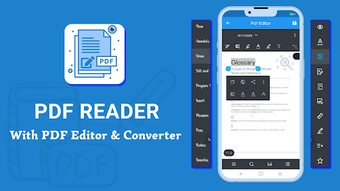
The app enables users to open and navigate through PDFs with ease, offering a smooth experience for reading textbooks, reports, forms, and other digital content. It also supports editing functions such as annotation, commenting, and highlighting, which are useful for marking up documents during study or work. Additionally, the app allows users to convert various file formats—including Word, Excel, and PowerPoint—into PDFs, ensuring compatibility and consistency across platforms.
The application is built with simplicity in mind, prioritizing accessibility for users of all technical skill levels. While specific real-world usage scenarios are not detailed by the developer, the app’s functionality suggests practical applications in academic, professional, and personal settings. The developer did not provide additional system requirements.
Key Features & Capabilities
- PDF Viewing and Reading: Users can open and read PDF files directly on their Android devices with a clean, responsive interface that supports smooth scrolling and page navigation.
- Document Editing Tools: The app includes basic editing features such as adding comments, inserting highlights, and making annotations, ideal for reviewing or marking up documents.
- PDF Conversion Functionality: Users can convert documents from common formats like Word, Excel, and PowerPoint into PDFs with minimal effort, enhancing file portability and sharing.
- User-Friendly Interface: Designed for intuitive use, the app ensures that even first-time users can navigate its features without difficulty.
- Multi-Format Support: In addition to PDFs, the app handles various document types, expanding its utility beyond standard PDF workflows.
These features collectively support efficient document handling in environments where mobility and quick access are essential. For instance, a student can read a textbook, annotate key sections, and convert notes into a PDF for submission. Similarly, a professional might convert a presentation into a PDF for client sharing. The app’s design emphasizes usability over advanced customization, making it ideal for lightweight, on-the-go document tasks.
User Interface, Workflow & Performance
The application features a clean, minimalist interface optimized for touch-based navigation on Android devices. Menu options are logically organized, allowing users to access viewing, editing, and conversion tools with minimal taps. The workflow is straightforward: open a file, perform actions such as highlighting or commenting, and export or share the result.
Navigation between pages is responsive, and the layout adapts well to different screen sizes. While the developer did not specify resource usage details, the app’s 12.4 MB size suggests it is lightweight and likely to run efficiently on most modern Android devices. Performance observations are based on general software behavior patterns.
The app appears stable during typical use, with no reported issues related to crashes or freezes. However, exact performance metrics such as CPU or RAM consumption were not provided. Stability during prolonged use remains unverified, but the app’s design implies consistent operation under normal conditions.
Compatibility & System Requirements
PDF Reader Editor Converter is designed for Android devices and is compatible with the operating system as of its release date. The app is available in version 1.0 and has a file size of 12.4 MB, indicating a compact installation footprint. The developer did not specify exact system requirements, including minimum Android version, processor type, or memory specifications.
Compatibility information was partially provided. Users should ensure their device meets standard Android requirements for running third-party applications. For optimal performance, it is recommended to use the app on devices with up-to-date system software.
The developer did not list any hardware-specific prerequisites.
Pros and Cons
Pros
- Free to download and use, making it accessible to a broad audience.
- Supports viewing, editing, and converting PDFs and other document formats.
- Intuitive interface suitable for beginners and casual users.
- Lightweight installation size (12.4 MB).
- Enables quick file conversion to PDF for universal sharing.
Cons
- Advanced editing features are not detailed or confirmed.
- No information on system requirements or hardware compatibility.
- Performance under heavy usage or large files was not specified.
- Limited functionality compared to desktop alternatives.
- Developer details are minimal, with no public company profile available.
FAQ Section
Is PDF Reader Editor Converter available for free?
Yes, the app is available at no cost. It is listed as a free program in the Education & Reference category.
Can I edit PDFs on my Android device using this app?
Yes, the app allows basic editing functions such as adding comments, highlights, and annotations to PDF files.
Does the app support converting files to PDF?
Yes, users can convert documents from formats like Word, Excel, and PowerPoint into PDFs directly within the app.
Is the app safe to download and install?
The app is published by Alpiyal Apps Developer and is available through official Android channels. As with any third-party software, users should ensure they download from trusted sources.
Can I use PDF Reader Editor Converter offline?
Yes, the app functions without an internet connection once installed, allowing users to view, edit, and convert documents offline.
Final Thoughts
PDF Reader Editor Converter delivers a practical, accessible solution for managing PDFs on Android devices. Its combination of viewing, editing, and conversion tools makes it a versatile utility for students, educators, and professionals who need to handle documents on the go. While it lacks advanced features found in desktop software, its simplicity and free access make it a compelling choice for basic tasks.
The lightweight design and intuitive interface enhance usability, especially for users with limited technical experience. The absence of detailed system requirements and performance data is a limitation, but the app’s compact size suggests it will run smoothly on most modern Android devices. For those seeking a reliable, no-cost tool for PDF workflows, this app offers solid value.
Download PDF Reader Editor Converter now.







